
Revolutionizing business with computer-aided engineering software


What is computer-aided engineering software?
Computer-aided engineering (CAE) software lets firms design, test, and improve products on a computer, so they cut costs and speed up development.
- It replaces many costly physical prototypes with fast virtual tests.
- It boosts accuracy, so teams catch design problems early.
- It shortens lead times, so products reach the market sooner.
Computer-aided engineering software has changed the product engineering industry. It has reshaped how firms work by giving them fast, effective technical tools. As a result, businesses can design, test, and improve goods with ease. So keep reading to learn how CAE helps modern companies grow.
What is computer-aided engineering (CAE)?
Computer-aided engineering (CAE) covers the full product engineering process. It runs from design to virtual product testing with advanced analytics. In short, the whole CAE process flows through careful planning.
CAE appears in every sector that uses design software to build technical products. It also lets teams test and model a product’s physical traits without a physical prototype. So it saves both time and money.
The most common simulation types in computer-aided engineering are:
- Computational fluid dynamics
- Finite element analysis
- Multi-body dynamics
- Optimization of products or designs
- Thermal analysis

3 significant benefits of CAE software
CAE software solves engineering problems in a fast, effective way. So it has been a game changer for many firms. Here are three key benefits of computer-aided engineering:
Increased efficiency and productivity
Computer-aided engineering software automates dull tasks. So engineers can focus on the vital parts of design. As a result, CAE lifts output and helps firms bring items to market faster.
With CAE software, engineers can quickly:
- Build and revise designs
- Run simulations
- Analyze findings
This cuts the time and cost of design and testing. In turn, it leads to faster product development. Engineers can also work together no matter where they sit. In addition, they share designs and simulations in real time. So decisions come faster, and review time drops.
Improved accuracy and reliability
Computer-aided engineering software cuts the cost and time of development. As noted, CAE needs fewer product prototypes, which can be costly. Instead, engineers run CAE simulations often to refine the design. So they need fewer physical prototypes. Some teams add automation testing to check results even faster.
Reduced costs and lead times
Computer-aided engineering software helps firms catch problems early in design. As a result, costs and lead times drop. So enterprises can make more products, sell to the market, and generate more sales and ROI.
2 types of computer-aided engineering software
There are two main types of computer-aided engineering software:
1. CAD software
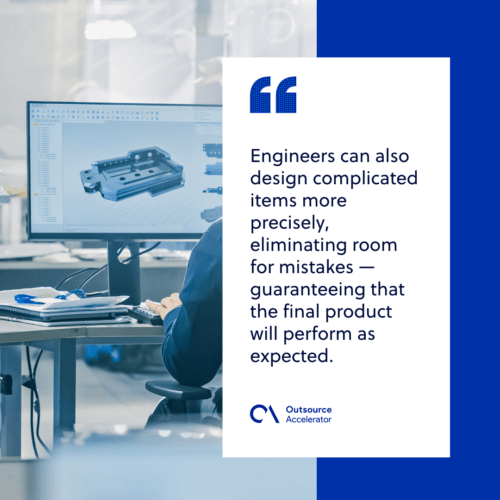
Computer-aided design (CAD) software models products in two and three dimensions. So engineers can spot issues and fine-tune a design when they see it in 3D. A skilled CAD operator can design complex items with more precision. As a result, there is less room for mistakes, and the final product works as planned.
Automotive, aerospace, and manufacturing are just a few fields that use CAD software well. So firms can serve customer needs and meet expectations with this tool.
2. CAM software
This type designs toolpaths for numerically controlled machines. Computer-aided manufacturing (CAM) software helps firms improve production. So it cuts waste, reduces mistakes, and keeps final products high in quality.
Applications of CAE software in business
Computer-aided engineering helps many industries and improves how they work. So it cuts costs while raising output. Here are common CAE applications in business:
- Product design and development – CAE software lets firms create detailed designs, with dimensions, materials, and other details.
- Simulation and analysis – Companies use CAE software to spot and fix design problems before production. A digital twin can make these tests even more precise.
- Optimization and validation – CAE software helps firms refine and check the final product. So the process and designs stay accurate and efficient.
- Prototyping and testing – Businesses build virtual prototypes instead of physical ones. As a result, they can test performance from anywhere with ease.
- Manufacturing and production – CAE software helps factories run smoother, with fewer mistakes and better quality control. In turn, this shortens production times and lowers costs.
Computer-aided engineering maximizes business efficiency
Demand for high-quality goods keeps rising. So does the push to cut costs and lead times. That is why more firms turn to CAE software to stay ahead. These computer-aided engineering benefits can make a real difference:
- Lifts efficiency and output by cutting the time and money spent to bring items to market.
- Helps firms stay competitive by keeping product quality high.
- Solves product engineering tasks fast and raises team productivity.
- Supports design, analysis, and optimization for companies to ensure strong results.
By adopting this technology, your business can gain more efficiency, output, and profit. As a result, it sets itself up for success in a fast-changing market.
Frequently asked questions
What is computer-aided engineering used for?
CAE is used to design, test, and improve products on a computer. It runs simulations for things like fluid flow, stress, and heat. So firms can refine a product before they build it. As a result, they save time and money.
What is the difference between CAD and CAE?
CAD focuses on creating the design of a product in 2D and 3D. CAE is broader and covers testing, simulation, and analysis. So CAD builds the model, while CAE checks how it performs. In practice, the two work closely together.
How does CAE software save money?
CAE cuts the need for costly physical prototypes. Instead, teams run virtual tests as often as they like. So they catch problems early and fix them fast. As a result, costs and lead times both drop.
Which industries use computer-aided engineering?
Many sectors use CAE, including automotive, aerospace, and manufacturing. Any field that designs technical products can benefit. So teams use it to design, test, and refine goods with more accuracy.
Is CAE only for large companies?
No. Firms of all sizes can use CAE software. Cloud-based tools make it easier for small teams to start. So even lean businesses can test designs and cut development costs.






 Independent





