
What is ticket management?


What is ticket management?
Ticket management is the process of creating, assigning, tracking, and resolving customer or internal requests in one central system.
- It keeps every request organized from start to finish.
- It speeds up responses and cuts confusion for support teams.
- It boosts customer satisfaction through clear, timely help.
Customers expect quick and clear answers to their questions. So businesses need a strong ticket management system to track progress and stay organized. Ticket management is vital for any team that wants happy customers.
The ability to create, assign, and track tickets can mean the difference between chaos and order. This is true whether you handle support questions, run events, or manage IT services.
In this article, we will explain why ticket management matters and how it helps. As a result, you will know how to use it well in your own work.
Ticket management explained
Ticket management is the steady process of creating, assigning, tracking, and resolving tickets.
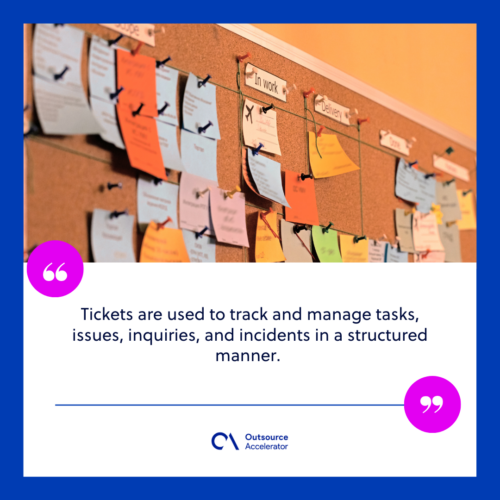
Here, tickets are records or requests handled through one central system. For example, they include customer questions, complaints, or support asks. In short, tickets track tasks, issues, and incidents in a clear way.
Ticket management is common where many requests must be handled fast, such as:
- Customer support
- IT services
- Event management
A ticket management system (TMS) often runs this work. These tools automate the full ticket lifecycle. As a result, they make it easier to resolve a wide range of tasks.
An automated system is a big help. It lets support reps sort and manage tasks without manual work. In addition, it tracks issues better, which lifts customer satisfaction. Many teams add help desk automation to speed this up.
A good system also links with your other service tools. So you get one clear solution for all ticket needs. By investing in a reliable TMS, firms improve both support quality and daily efficiency.
Importance of ticket management
Ticket management matters most as a clear, organized system. With it, firms can handle many tasks, questions, and incidents with ease.
It helps firms give fast support and keep communication smooth. As a result, it lifts customer satisfaction. In fact, it works in a systematic and customer-centric way.
Customers feel reassured when their requests are handled fast and in order. For example, quick replies and clear updates all build a better experience. Strong customer service standards reinforce that trust.
In an era where loyalty is hard to win, organized support can set a business apart.
Benefits of ticket management
Beyond its core value, ticket management brings several clear benefits. So let us look deeper at these gains.
Improved communication
Ticket management gives one central place for communication. With every message in one spot, teams can work together and avoid double work. As a result, replies stay consistent and correct.
Enhanced collaboration
A TMS supports teamwork and knowledge sharing among support teams. By centralizing questions and replies, agents can find info and share tips fast. So they solve complex issues together and get better results.
Data-driven insights
With ticket management, firms gain useful data about customer questions. For example, these systems show trends, recurring issues, and weak spots. As a result, firms can make smart choices and improve their support.
Reduced response times
Prioritization and real-time tracking help firms answer urgent issues fast. This keeps customers happy. In addition, it stops small issues from turning into big ones.
Comprehensive documentation
Tickets serve as a documented history of requests and issues. This record helps with trend analysis, compliance, and audits.

Consistent customer support
In support settings, ticket management gives every customer the same level of service. As a result, this consistency builds trust and reliability.
Improved knowledge sharing
As tickets get resolved, knowledge about common issues grows. So teams can share it across the firm to stop repeat problems.
How does a ticket management system work?
Many firms use dedicated systems to manage tickets well. These tools automate the full ticket lifecycle. Here is how a typical system works.
Ticket submission and creation
The process starts with a request from a customer, staff member, or system. For example, it can come by email, web form, phone, or app.
When a request comes in, the system creates a ticket at once. It gets a unique ID and captures all key details, such as:
- Description of the issue
- Priority
- Contact information of the requester
- Any context that can help in resolution
Ticket categorization
Next, the system sorts the ticket by request type or the team in charge. So it routes each ticket to the right person for a fast fix.
Ticket assignment
The TMS then assigns the ticket to an agent or team. Often, preset rules decide who should handle each ticket.
Notification
The assigned agent gets a notice about the new ticket. This notice includes the details needed to understand and resolve the issue.
Ticket tracking
Ticket tracking is a key part of the system. It allows real-time views of each ticket’s status.
Throughout the lifecycle, the system tracks priority, requester details, and updates. Agents also log their actions. As a result, the TMS keeps a clear record of the ticket’s progress.
Communication and collaboration
Most systems include features for smooth customer contact:
- Automated responses
- Email notifications about ticket status changes
- Self-service portals for ticket tracking
Many systems also let agents work together for faster answers. So they can share info, discuss fixes, and ask for help. The best customer support tools make this teamwork simple.
Ticket resolution
Assigned agents then work to resolve the tickets. They study the issue, gather info, and take action. In addition, all steps are recorded in the ticket.
Escalation
Some systems have built-in escalation steps. For example, a ticket may stall at the first level. In that case, the system moves it to a higher tier or an expert for more help.
Ticket closure and reporting
Once resolved, the ticket is marked as closed. The system also creates reports and analytics. As a result, firms gain insight into their support process. These tools track key metrics to spot trends and improve resource use.
Knowledge base updates
During resolution, useful knowledge often builds up. So teams can use it to update the firm’s knowledge base. In turn, this helps future fixes and lets customers solve common issues on their own.
In short, a TMS automates the full ticket lifecycle. So it is easier to manage a large volume of requests. As a result, tickets are handled fast and resolved well.
How to achieve good ticketing management
To manage tickets well, firms should follow clear guidelines. Doing so builds a culture of great support. Here are the key steps to succeed.
Define your ticketing workflow
First, build a clear workflow. It should outline each stage and who owns it. As a result, tickets move through the system in a steady way.
Implement an escalation process for urgent tickets
Next, set an escalation path for urgent tickets. This may mean alerting higher-level support when service level agreements (SLAs) or response targets are at risk.
Provide ongoing training for support agents
Also, train agents often on best practices and product knowledge. Different roles need different skills, so tailor the training. In short, well-trained staff deliver better support. Many teams review help desk services to guide this training.
Track performance and areas for improvement
Use your system’s reports to assess key metrics. As a result, you can make data-driven choices. For example, you can track response time, resolution time, ticket volume, and satisfaction ratings.
Integrate with other systems
Finally, make sure your TMS works with your other tools. Links to CRM, email, and chat tools cut manual entry. In turn, this raises overall efficiency and helps improve the customer experience.
Best practices for ticket management
Ticket management is a complex process. It involves many tasks, questions, and incidents. To excel, follow these best practices for top support.
- Keep customers informed of progress. Update customers often. Clear communication manages expectations and cuts frustration.
- Personalize your replies to customers. Personalize replies by name and acknowledge each concern. This creates a warmer experience.
- Encourage feedback and act on it. Ask for feedback fast. Then act on it and make real improvements.
- Invest in the right ticketing system. Pick a robust, easy TMS that fits your needs. A good system boosts your whole workflow.
- Knowledge base integration. Keep a knowledge base of common fixes. Link it to your TMS for quick agent access.

Boosting satisfaction with ticketing management
Effective ticket management is more than handling tasks. It is a smart way to deliver great support and improve daily work.
A good system can boost how well support teams handle requests. With the right software, firms streamline service and give timely replies.
A well-built ticket management system is one of the many tools that drive customer satisfaction. So it plays a key role in keeping customers happy.
The best practices above give a clear roadmap to success. They help firms sort tasks, automate routine steps, and store useful knowledge. As a result, firms earn customer trust and set the stage for lasting growth.
Frequently asked questions about ticket management
What is a ticket in customer support?
A ticket is a record of a single customer request or issue. It holds the details, status, and history of that request. So agents can track it from start to finish.
What is a ticket management system?
A ticket management system, or TMS, is software that handles the full ticket lifecycle. For example, it creates, assigns, tracks, and closes tickets. As a result, teams work faster and stay organized.
Why is ticket management important?
It keeps support organized and fast. In addition, it gives useful data on customer issues. So firms can improve service and build loyalty.
How can I improve ticket management?
First, set a clear workflow and escalation path. Next, train your agents well. Finally, use reports to track key metrics and fix weak spots.
Key takeaways
- Ticket management tracks requests from creation to resolution in one system.
- It improves communication, teamwork, and response times.
- A good TMS automates the full ticket lifecycle.
- Clear workflows, training, and reports drive better results.
- Strong ticket management builds customer trust and loyalty.






 Independent





