
Mobile app development: Understanding the basics and its importance


Mobile app development is how companies build the apps people use every day. Everything has an app now, as the saying goes. With phone use so common, it pays to offer your own app to your customers.
Mobile app revenues worldwide reached about US$535 billion in 2024. In fact, they are on track to top US$780 billion by 2029. As competition grows, now is the time to learn about mobile app development.
Still, mobile app development costs money, time, and effort to plan, build, and launch. So outsourcing can help you keep up with demand and scale your team.
What is mobile app development?
Mobile app development is the process of building software that runs on mobile devices, mainly smartphones. In short, it turns an idea into an app people can install and use. These apps can be pre-installed or downloaded onto a device. It usually involves:
- Writing the code and building back-end services
- Designing the look and feel for users
- Testing the app on target devices
Compared to web or software development, mobile app development uses the features of a phone. Today, the two biggest platforms are iOS and Android.
Mobile app development lifecycle
The mobile app development lifecycle comes from the software development lifecycle (SDLC). So it has six stages: strategy, planning, designing, app development, testing, and deployment.
Strategy
First, the core team brainstorms app ideas and details. As a result, they answer key questions before the build, such as these:
- What problems will this mobile app solve?
- What will be its features?
- Who is its intended audience?
- What makes this app unique from its competitors?
- How much will the budget be for creating this app?
Planning
Next, the idea from the strategy stage starts to take shape. Here, the team maps out more details, including:
- The app name,
- Detailed features of the app,
- Product roadmap and milestones for each feature,
- Skills, characteristics, and qualifications of the team building the app, and
- Specific platform/s where the app will be used (iOS, Android, etc.)
At times, funding fits into this stage too. So the core team should know how the project is funded. They also decide whether the app is free or paid.
Designing
During this stage, the team designs two versions: the prototype and the final product. The prototype is the minimum viable product.
Good UI and UX design make the app easy and fun to use. So a polished user experience takes shape here. Still, the team should keep the app intuitive to keep people engaged.

App development
The app development stage is the costliest and busiest part of the build. First, the team defines the tools they will use. Then they schedule the milestones for each feature.
Most teams follow an agile process in app development. In short, this stage has three parts: back-end, API, and front-end.
Back-end
The back-end is the behind-the-scenes work that supports the app. So it makes sure the database, server, and other parts run as they should.
Front-end
Meanwhile, the front-end is the actual app that people use. Most apps use the back-end for data. At times, they also use local storage for offline use.
API
Lastly, an application programming interface (API) links the front-end and back-end. In short, it lets the two sides talk.
Testing
Once a first version is ready, it goes through quality assurance (QA) testing. As a result, the team checks that the app is stable and secure. Thorough software testing covers several types, such as these.
Functionality testing
First, the team checks that the app works as expected. Studies say only 4% of unhappy customers complain, while 91% simply leave.
So once people spot a flaw, they often uninstall the app. Because of this, functionality testing matters a lot.
Platform compatibility
Next, the team tests the app across phones, platforms, screen sizes, and OS versions. Most apps work across many phones. Still, some newer apps target only the latest OS versions.
Localization settings
Depending on the build, developers can add local features for each region. So they test the app with different languages, currencies, and settings.
Loading speed
Web-based apps also get tested for speed and connection. In fact, Google found that 53% of website visits stop if a page loads more than three seconds.
The same goes for mobile apps. So people often uninstall an app that loads too slowly.
Security testing
Lastly, every app gets tested for security and data use. Today, users care more about privacy. So teams must be careful with how an app uses and guards customer data.
Deployment
Once the app passes testing, it is ready to publish. Depending on its use, it launches as a pre-installed app or through a marketplace.
Before launch, the team should review each marketplace guideline and meet it. After that, marketing begins to make the app a success.
4 ways to approach mobile app development
Before, apps were built only for one device platform. Cross-platform apps were rare, and their code was rarely reused.
Now, most apps in the market work across devices with no big changes. So part of planning is picking the right approach. There are four ways to build a mobile app.
Native apps
Native apps are built for a single OS. As a result, they cannot mix with apps from other platforms.
Whether you’re targeting the iOS or Android market, a white label app builder can assist in developing native apps that cater to the preferences and requirements of each OS.
For example, some apps are built only for Android or iOS. So you cannot run an Android app on an iOS device, and the other way around.
Progressive web apps
Progressive web apps (PWAs) are mobile sites that act like apps. You cannot install them. Still, they adapt to the phone a person uses.
A good example is Wordle. People just visit its website and play at once, as long as they are online.
However, access is a downside for PWAs. Because they rely on the web, they cannot work offline.
Hybrid apps
On the other hand, hybrid apps look and feel like native apps. Unlike PWAs, they are not really websites, even though a browser can reach them.
That is because they use web tech to act like a native app, not a site. For example, try-and-buy apps on the web are hybrid apps. People reach them through a browser but can download a trial version.
Encapsulated apps
Lastly, encapsulated apps run inside another app. So they are either prototypes of native apps or apps that run on systems that mimic their platform.
Mobile app development platforms
Now, low-code and no-code app development is possible thanks to many tools. So here are some platforms companies can use for mobile app development.
AppyPie
AppyPie lets users build and publish hybrid apps and PWAs with no code. In short, this web-based tool uses drag-and-drop to send apps straight to devices.
Appery.io
Appery is another cloud tool that auto-writes code for app elements. So it works well for native apps, hybrids, and PWAs with low code needs.
Xamarin
Xamarin is a Microsoft tool for native apps that lets users reuse data across platforms. Note that Microsoft ended Xamarin support in 2024. So teams now move to its successor, .NET MAUI, for new builds.
BuildFire
BuildFire promises a simple app platform “at a fraction of the time or cost.” So users can build custom features with its software development kits, for iOS or Android.
MobileRoadie
Lastly, MobileRoadie suits companies that want visual mobile apps. It works with many media types and plugins. In addition, it can build push notifications into real apps.
How much does mobile app development cost?
Mobile app development can be free or cheap with low-code and no-code tools. However, hiring a pro team can cost up to millions of dollars, based on the app’s use.
Beyond the app itself, you must weigh the tools, the OS, and the phone features it uses. In addition, you need the right development kits, whether for iOS or Android.
Complex apps cost even more. For example, advanced features like 3D and artificial intelligence (AI) raise the price fast.
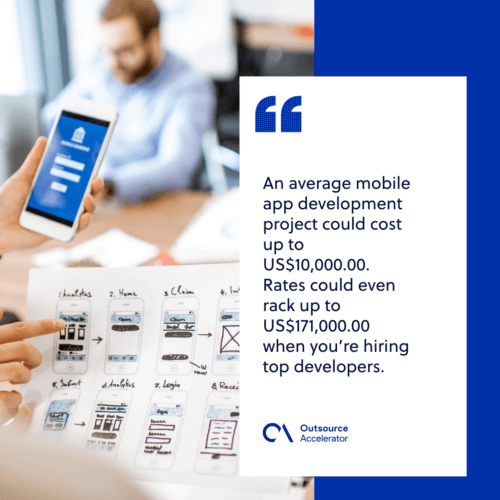
In practice, costs vary a lot. This app development cost guide shows figures from a few thousand dollars for a simple app to more than US$171,000 for a high-spec build.
Why outsource your mobile app development?
The overhead costs alone show that it’s best to outsource mobile app development to trusted providers like Clark Staff. As a startup or small business, you cannot always afford top developers or the tools they need.
Even with low-code tools, you still need a team to keep your app in top shape. Otherwise, it can go stale fast. In fact, ongoing software development outsourcing keeps your app fresh.
Most of all, outsourcing helps when you want to grow. For a fraction of a local developer’s cost, you can hire teams that improve your app over time. So a flexible model like IT staff augmentation can add skills fast. To weigh your options, see why some firms outsource app development in the first place.
FAQ about mobile app development
What is mobile app development?
It is the process of building software that runs on phones and tablets. In short, it turns an idea into an app people can install and use.
What are the stages of the mobile app development lifecycle?
There are six: strategy, planning, designing, app development, testing, and deployment. Each stage builds on the one before it.
What is the difference between native and hybrid apps?
Native apps are built for one OS, such as iOS or Android. Hybrid apps use web tech to act like native apps across platforms. So hybrids are often faster to build.
How much does it cost to build a mobile app?
It varies a lot. Simple apps can cost a few thousand dollars. Meanwhile, complex, high-spec apps can top US$171,000.
Why should I outsource mobile app development?
Outsourcing cuts overhead and gives you skilled developers on demand. As a result, you can scale your app without the cost of a full in-house team.
Key takeaways
- Mobile app development turns an idea into software that runs on phones and tablets.
- The lifecycle has six stages, from strategy to deployment.
- You can build native, progressive web, hybrid, or encapsulated apps.
- Costs range from a few thousand dollars to well over US$171,000.
- Outsourcing helps you scale fast without a costly in-house team.






 Independent





